
How many people can be on the account
A company account comes with three seats: the person BlueDot set the account up for, who is the account admin, and two colleagues. Every seat sees the same tickets, the same licences and the same messages — the account belongs to the company, not to the person who opened it.
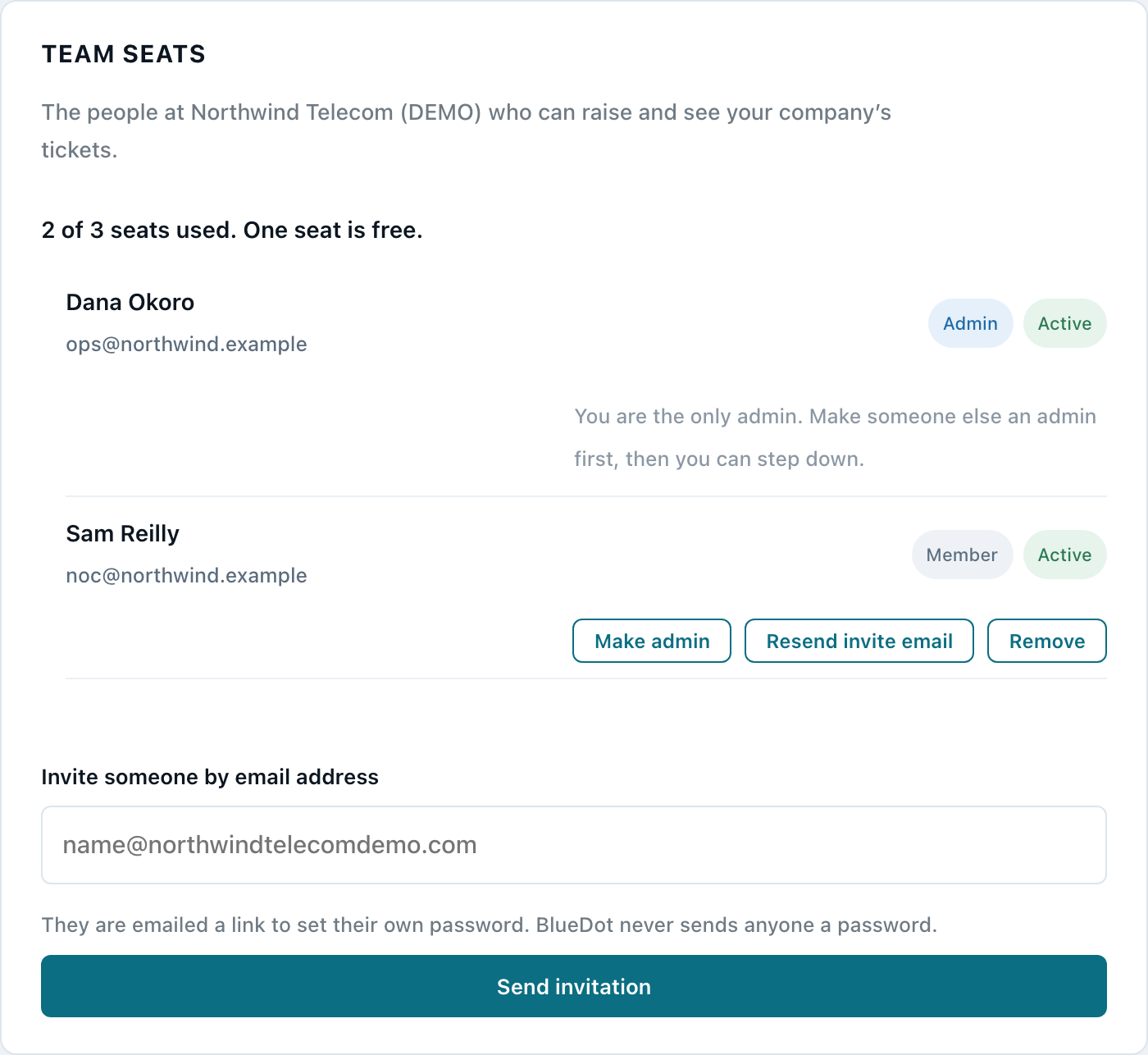
The seat count is shown at the top of the Team seats section as, for example, "2 of 3 seats used. One seat is free." If you need more than three, contact BlueDot: the seat limit is set on your account and is not something you can raise yourself.
Inviting someone
The invitation is refused, with the reason on screen, if all three seats are already in use, if that person already holds a seat on another company’s account, or if the address belongs to BlueDot support staff. None of those refusals costs you a seat.
There is a limit of five invitations an hour per company, resends included. It exists because the form sends BlueDot-branded email to whatever address is typed into it. It is a rolling hour, so if you hit it, waiting a few minutes gives you the next attempt back.
Only the account admin can add or remove people. A colleague who holds an ordinary seat sees the same list of names, without the controls.
Go to Account settings in the support portal and find Team seats. Type their email address into “Invite someone by email address” and press Send invitation. That is the whole of it — there is no name, role or permission to choose.
What the person you invited receives
Everyone you invite is emailed. Which message they get depends on whether they already have a BlueDot account, and you cannot see which from the roster — you do not need to.
Someone new to BlueDot gets WordPress’s own "set your password" email, with a link they use to choose a password. BlueDot never sends anyone a password, and nobody at BlueDot can see theirs.
Someone who already has a BlueDot account — because they hold a licence, or had an account before — gets a short note saying which company added them and where the portal is. They sign in with the password they already have. They are deliberately not sent a reset link they did not ask for.
If the email does not arrive, the Resend button beside their name sends the same message again, and picks the right one of the two without you having to know which. Resends count against the hourly limit above.
Invited, and active
Each name on the roster carries one of two tags, and the difference is simply whether they have finished setting themselves up.
"Invited — not signed in yet" means the seat exists and the email has gone, but they have never signed in. They cannot see anything yet.
"Active" means they have signed in at least once. Their seat is live: they can open tickets, read replies and see your company’s licences.
The tag changes on its own the first time they sign in. There is nothing to approve and nothing for you to press.
Who is the admin
Every seat on the roster is tagged Admin or Member, so who holds the account can always be read off the page. The first admin is whoever opened it — the person BlueDot created the account for, or the person who signed the company up.
An admin can make a colleague an admin as well: press Make admin beside their name, and they are emailed to say so. Once the account has two, Remove admin appears, on your own row included — standing down is how a departing admin hands the account over, and it no longer involves us.
While you are the only admin, that button is replaced by a line telling you to make someone else an admin first. Do it BEFORE you leave: an account with no admin can never invite, remove or promote anyone again, which is also why the only admin cannot be removed.
Removing someone who has left
Press Remove beside their name. The seat is freed immediately and can be given to someone else.
Their access goes with it: from that moment they can no longer see your tickets, your licences, your attachments or your messages.
Their tickets stay. A ticket belongs to the company, not to the person who raised it, so everything they opened stays exactly where it is, still readable and still answerable by the rest of your team, with their name still on what they wrote. Nothing is deleted and nothing is reassigned.
Two removals are refused. You cannot remove your own seat — ask another admin, or BlueDot. And the account’s only admin cannot be removed at all, because an account with no admin can never invite or remove anyone again.
Written from includes/companies.php, includes/account.php. If the portal changes, check this article against that code.