
The question
A port has more than one name — what the operating system calls it, what the forwarding plane calls it, and where it physically sits on the bus — and they do not look alike. This article is for working out which physical socket a given name refers to, and the other way round.
It is a reference, not a fault. If a port is down rather than confusingly named, this is the wrong article.
The three names
The same physical port can appear as any of these:
| Name | Example | Where you see it |
|---|---|---|
| PCI address | 0000:13:00.0 | The bus location — domain, bus, device, function. The most stable of the three. |
| Kernel name | eno1np0 | Linux tooling, while the port is bound to a kernel driver. |
| Forwarding-plane name | FortyGigabitEthernet47/0/0 | The dataplane and its interface listings, once the port is in use for forwarding. |
Two things about the forwarding-plane form are worth knowing, because both surprise people:
- The speed is part of the name.
FortyGigabitEthernet…is a 40G port. If that port is later run at a different speed, its name changes to match — so the name is not a permanent handle for the socket, it is a description of what the socket currently is. - A trailing
.Nis a sub-interface, not a port.FortyGigabitEthernet47/0/0.200is VLAN 200 on the portFortyGigabitEthernet47/0/0. There is one physical socket, not two.
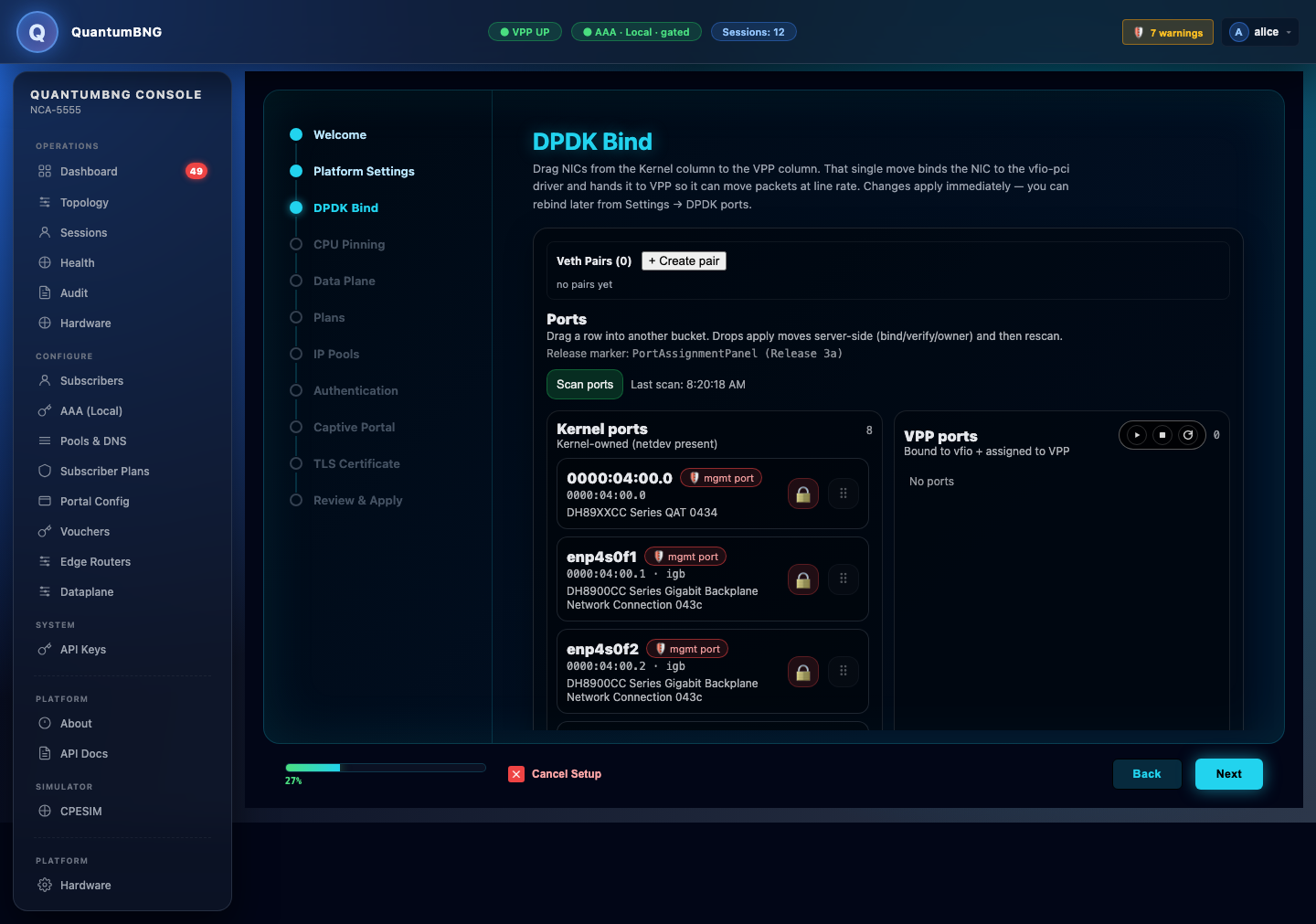
enp4s0f1 at 0000:04:00.1). Move a port to the VPP column and it binds to vfio-pci — at which point the kernel name goes away and the PCI address is what identifies it.How to check what you have
- Use the NIC and driver inventory page. It enumerates every network device on the chassis and shows the kernel name, the PCI address and the forwarding-plane name on the same row, along with the driver in use. That side-by-side view is the answer to "which of these is which" and it is why you should not try to derive one name from another by hand.
- Map a name to a socket via the PCI address. The PCI address is the one identifier that describes physical position rather than configuration, so it is what to match against the slot the card occupies. Confirm with a link-state change if you can afford one — unplug and watch which row drops — rather than trusting a name.
- Expect the kernel name to disappear. Once a port is handed to the forwarding plane it is bound to a userspace driver (
vfio-pcior similar) and Linux no longer has an interface for it. The inventory page says so explicitly — "bound to vfio-pci (userspace driver) — firmware/DDP not readable via kernel tools; rebind to kernel driver to inspect". A missing kernel name on a working port is normal, not a fault.
Are the names stable?
Yes — across reboots and upgrades, names are stable, because they derive from where the card sits on the bus rather than from the order things were discovered.
Two things change them:
- Moving a card to a different slot. The PCI address changes, and every name derived from it changes with it.
- Changing the port's speed. The speed is embedded in the forwarding-plane name, so a port that changes speed changes name — same socket, same PCI address, different identifier.
Both are worth planning for. If you have configuration or runbooks that refer to ports by their forwarding-plane name, a slot change or a speed change will invalidate them, and the failure shows up as configuration that silently applies to nothing.
What to collect before raising a ticket
- The name you are asking about, copied exactly, and where you saw it.
- What you expected it to refer to, and what makes you think it does not.
- The NIC and driver inventory page — the whole table, so we can see all three names together rather than the one that is confusing you.
- The chassis model, and which slots are populated with which cards.
- Whether any card has been moved, replaced, or had its speed changed since the name last worked.