
The short version
A paid licence can be moved to different hardware once, within 30 days of being issued. The free 5,000-session licence cannot be moved at all.
Why there is a window
A licence is cryptographically bound to one machine’s TPM, so moving it is not a setting we can change — it means issuing a new licence for the new hardware and retiring the old one.
The 30 days exist so that installing the software and finding out your server does not carry the traffic you expected is a normal part of commissioning, rather than something you are stuck with. It is not a general right to move a licence around your estate.
Where to find it
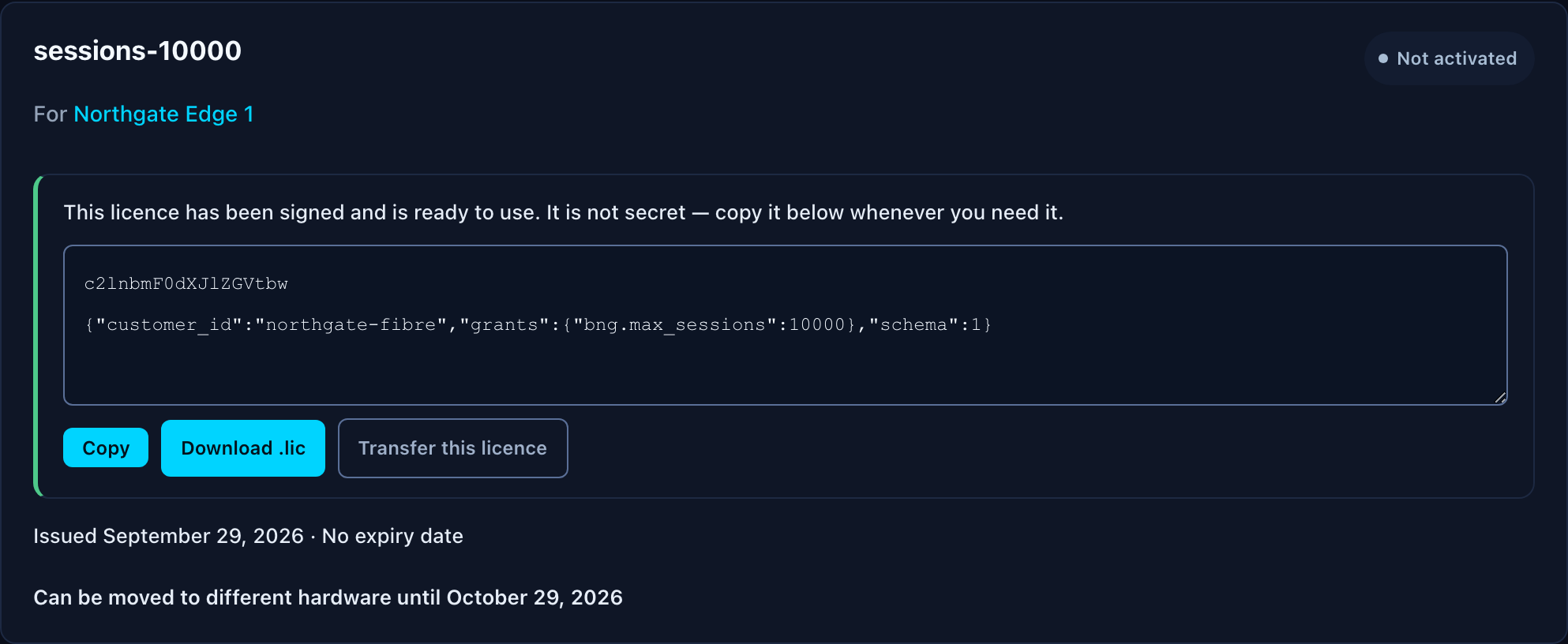
Open My Licences in the support portal. A licence that can still be moved carries a Transfer this licence button, and the line beneath the card tells you the date the window closes.
Requesting the transfer
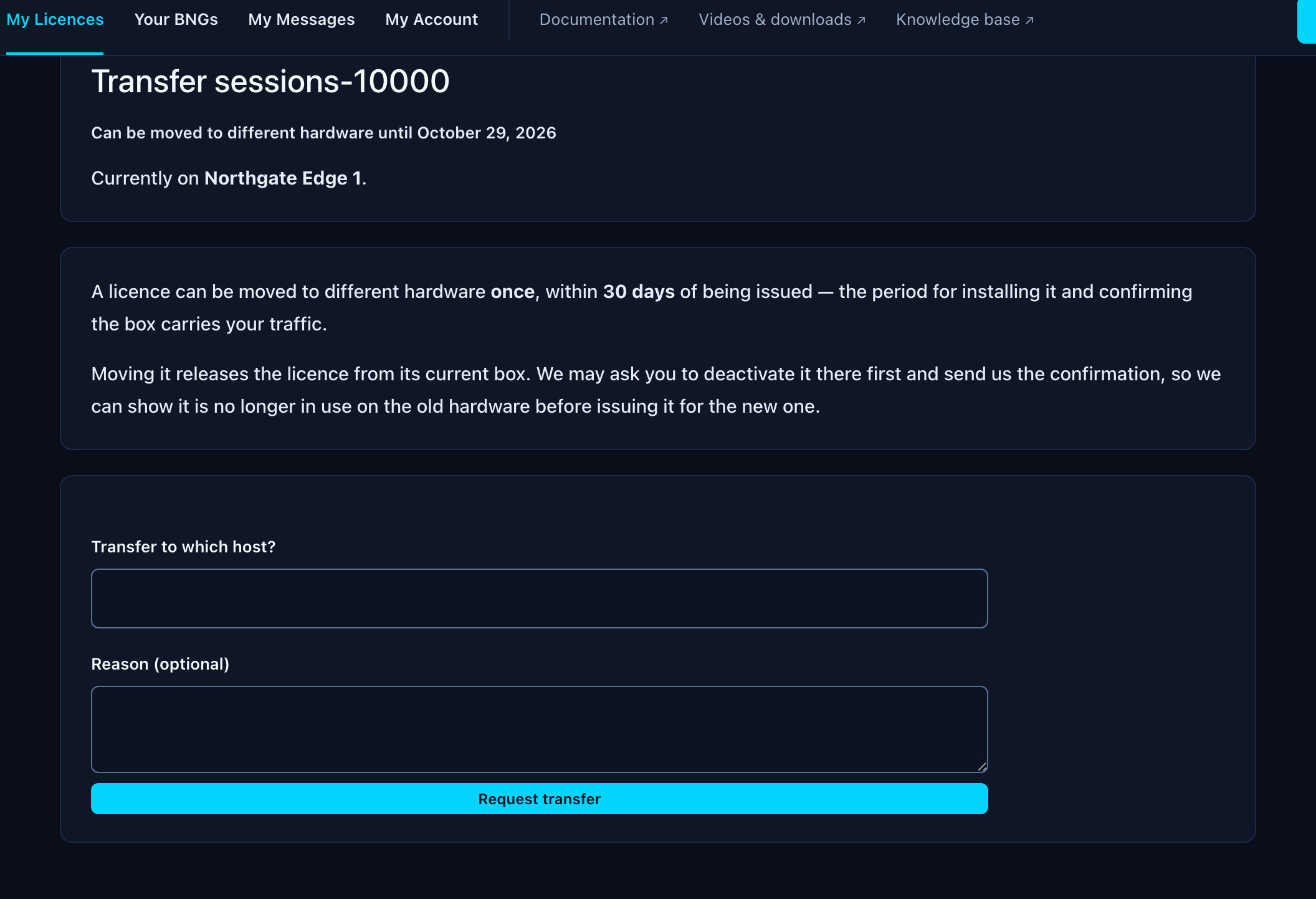
Choosing Transfer this licence opens a short form. Tell us the hostname of the machine it should move to, and optionally why. We review the request and post the answer to My Messages.
If the button is not on the card, the licence cannot be moved and the page says why — most often that the 30 days have passed.
Proving the licence has been removed
A signed licence file keeps working on the machine it was issued for: the box verifies it offline and never checks back with us. So we may ask you to deactivate it on the old hardware first and send us the confirmation, which is what lets us show it is genuinely no longer in use before issuing it for the new box.
That deactivation step is being built into the controller for release 1.5.0. Until it ships, an agent will tell you what is needed when you raise the request. This article will be updated with the exact commands.
The free 5,000-session licence
The free unlock is granted per box and stays with the box it was claimed for. It cannot be transferred.
If you claimed it against the wrong machine, raise a ticket and an agent can put it right. Do not simply register the box again — each BNG is only ever entitled to one free unlock, so a second registration will not produce a second one.
If the hardware has failed
Hardware failure outside the 30-day window is not something the portal can action, but it is not a refusal either. Raise a ticket and tell us what happened; that conversation is with a person, not a form.