
Step 2 — Import into VirtualBox
- Open VirtualBox, choose File → Import Appliance…
- Point it at
quantumtouch-bng-eval-v1.2.0-62.ova, click Continue -
Review the appliance settings on the next page — the defaults are correct:
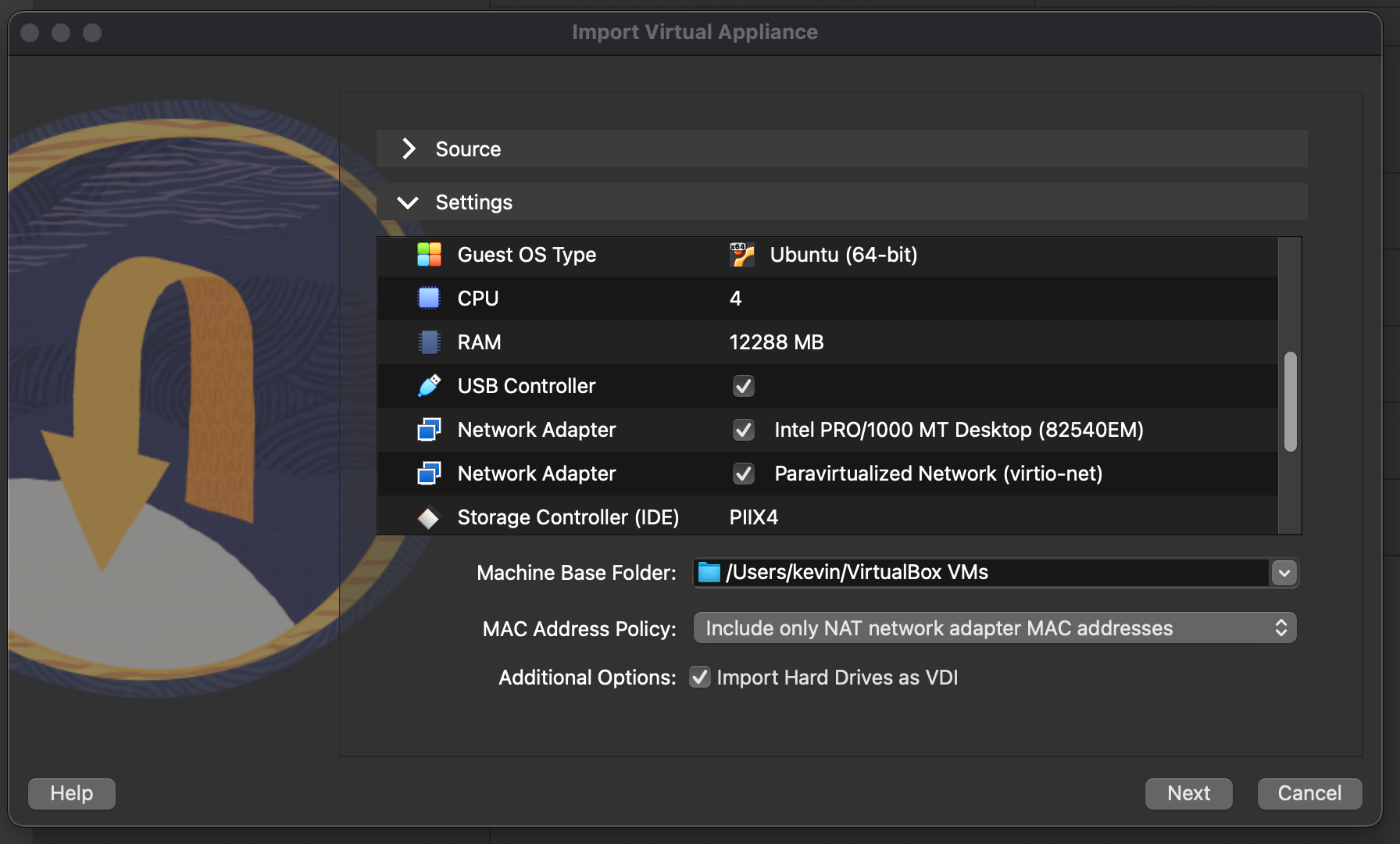
- Guest OS Type: Ubuntu (64-bit)
- CPU: 4
- RAM: 12,288 MB
- USB Controller: enabled
- Network Adapter: Intel PRO/1000 MT Desktop (NAT — this is the one with the pre-configured port forwards)
- Storage Controller (IDE): PIIX4
- Click Finish. Import runs for about two minutes.
Optional — set the console scale factor. Text on the VM console is small at 100%. Select the quantum-bng-alpha VM in the main window and use View → Virtual Screen 1 → Scale to 200% (or whatever fits your monitor). VirtualBox remembers this per VM.