
Step 6 — Install CPESIM (the subscriber simulator)
The default install has no subscribers. That's realistic for a real customer, useless for a demo. CPESIM is a QuantumBNG plugin that spins up a fleet of simulated CPEs on the same box, sends real DHCP DISCOVER frames into the BNG's access-side veth, and drives real TCP downstream traffic — the same code path our regression suite uses.
Installation is a two-click flow:
- Navigate to About in the left nav
- Scroll down to the Toybox section
- Find the CPESIM card (subtitled Subscriber simulator) and click Install
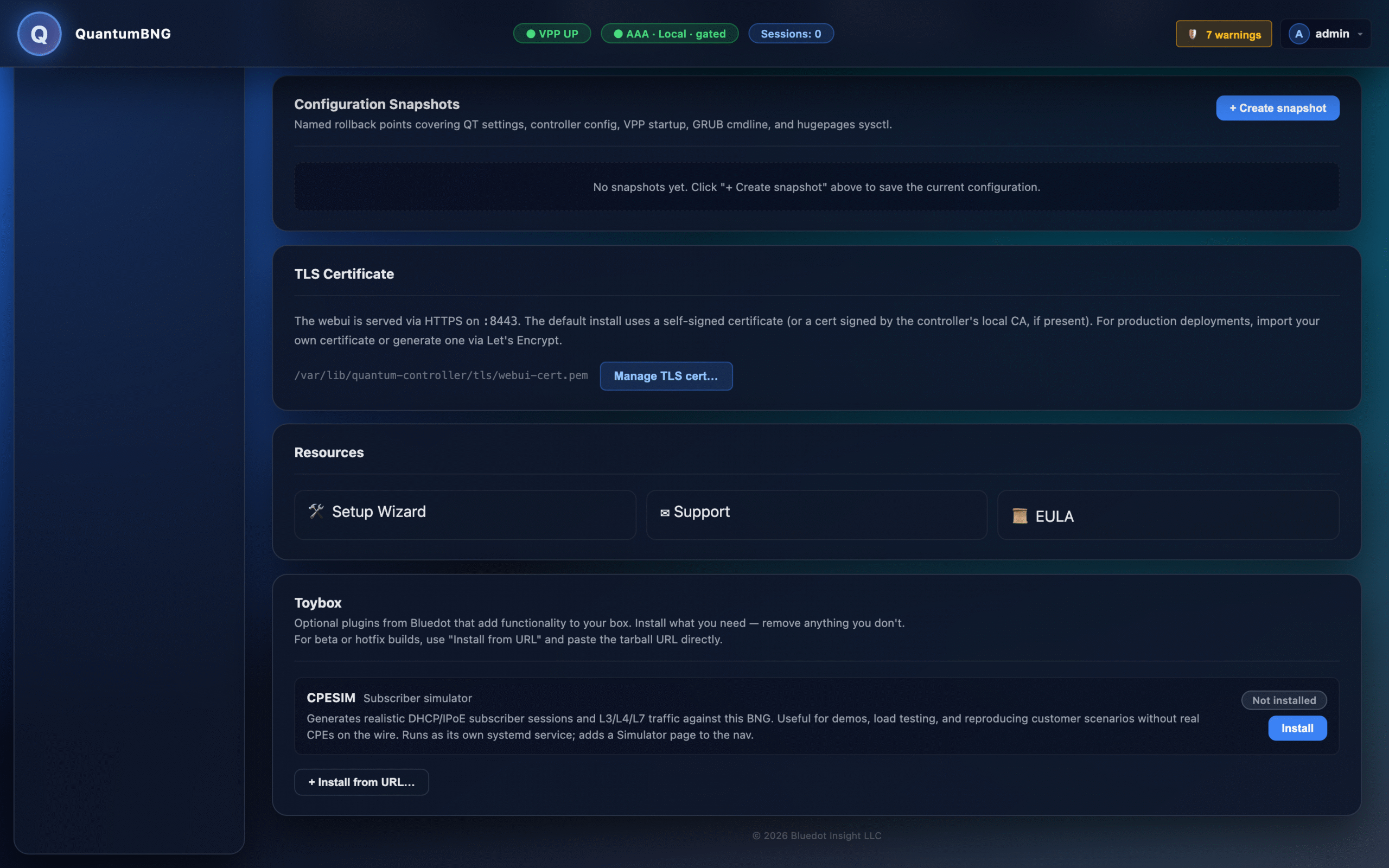
The install takes about a minute. Under the hood:
- The plugin tarball is fetched from Bluedot's public release repo
- Its SHA-256 checksum is verified against a signed manifest
- Contents are unpacked into
/opt/bng-demo/ - A systemd unit is registered so the simulator restarts on reboot
When install finishes, the card flips to Installed · with a Remove button, and a new Simulator entry appears in the left nav.